Table of Contents
Website testimonials are not just decorative quotes sprinkled across a page. When placed strategically, they become one of the strongest trust-building tools on your site. Visitors may like your design and understand your message, but they believe other customers far more than they believe marketing copy.
If your site already gets traffic but conversions feel underwhelming, testimonial placement is one of the fastest areas to optimise.
In this guide, we’ll walk through the best places to add website testimonials to boost conversions, along with practical, implementation-focused advice you can apply to any WordPress site.
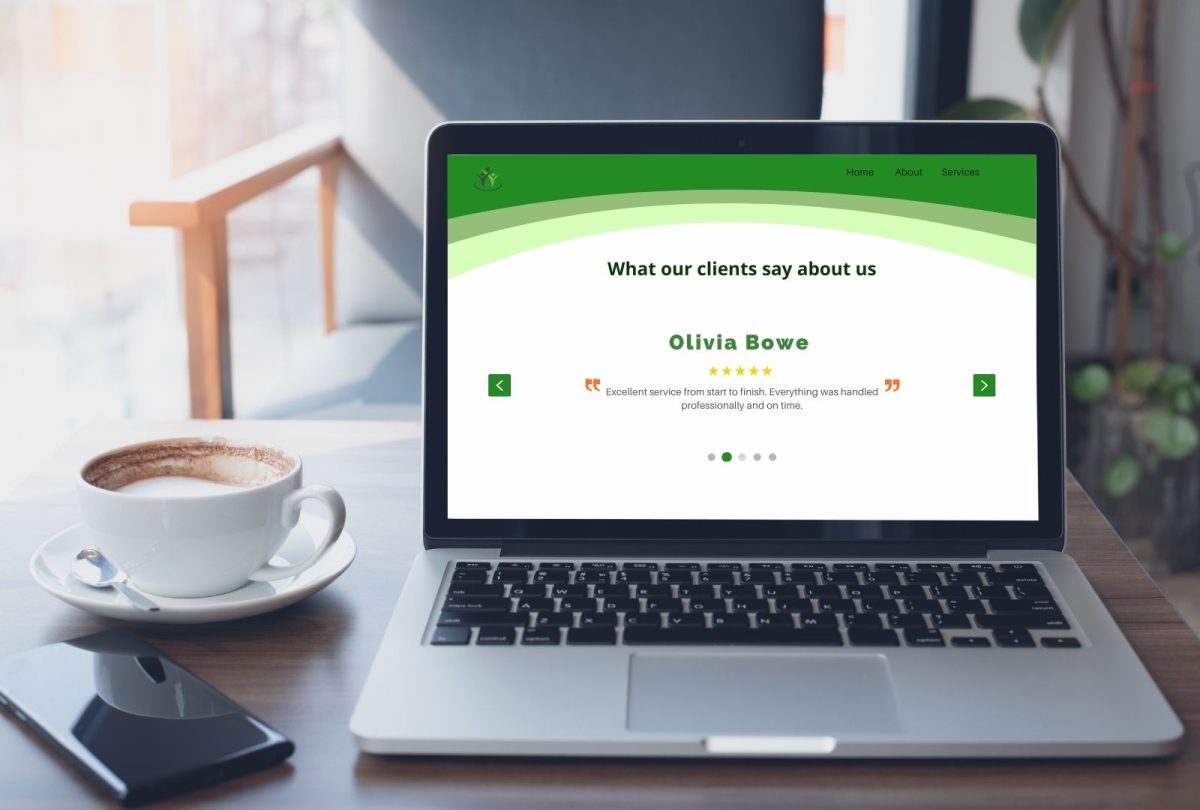
Why Website Testimonial Placement Matters
Testimonials work because they provide social proof. People naturally look for confirmation before committing to an action, whether that is filling out a form, requesting a quote, or making a purchase.
Marketing data from HubSpot shows that social proof elements, such as testimonials, can significantly influence conversion behaviour when placed near decision points
In simple terms, testimonials reduce hesitation. But only if they appear where doubts typically arise.
Let’s look at the highest-impact locations.
Homepage Above the Fold
Your homepage is often your first impression, and first impressions set the tone for everything that follows.
Placing one or two concise testimonials near your main headline helps validate your value proposition immediately. This works especially well when testimonials reference concrete outcomes rather than vague praise.
Instead of generic comments like “Great service,” aim for statements that mention results such as improved performance, smoother workflows, or measurable business improvements.
From an operational standpoint, this section should remain lightweight. Short quotes, real names, and recognisable companies help maintain visual balance while delivering credibility without pushing important content below the fold.
Near Call-to-Action Buttons
Every call to action introduces friction. Visitors pause and ask themselves whether taking the next step is worth it.
Adding testimonials close to CTAs helps remove that doubt at exactly the right moment.
This applies to:
- Contact forms
- Quote request buttons
- Newsletter signups
- Booking widgets
These are ideal places for micro-testimonials. One or two sentences are enough, especially when they focus on trust, responsiveness, or outcomes. Think reassurance rather than storytelling.
From a layout perspective, testimonials here should feel supportive, not intrusive. A small quote beneath a form or beside a button often performs better than large blocks of text.
Product or Service Pages
Service pages are where visitors evaluate fit. They are comparing options, scanning features, and deciding whether your solution aligns with their needs.
This is where contextual testimonials matter most.
Instead of reusing the same quotes everywhere, match testimonials to the specific content of each page. If a page discusses performance, show feedback about speed and stability. If it focuses on maintenance, highlight reliability and support.
On WordPress sites, this is typically handled with modular blocks or reusable sections. Testimonial content is mapped directly to each page’s purpose, so visitors see proof that aligns with what they are currently reading, not generic praise pulled from elsewhere. This type of alignment significantly improves engagement and keeps messaging focused.
Pricing Pages
Pricing pages are decision zones. This is where visitors weigh cost against perceived value, and objections peak.
Testimonials here should directly support pricing confidence. Strong examples reference:
- Return on investment
- Business impact
- Reliability
- Support quality
Most users trust online reviews as much as personal recommendations. That trust becomes especially important when money is involved.
Effective placement includes testimonials near plan comparisons, feature tables, and checkout buttons. The goal is to reinforce that others have made the same decision and benefited from it.
Dedicated Testimonials or Case Studies Page
Every professional website should still have a dedicated testimonials or case studies page. Think of this as your credibility library.
While it may not drive conversions on its own, it plays a key role in SEO, internal linking, and sales conversations.
To keep this page effective:
- Use structured layouts like cards or grids
- Include names, roles, and companies when possible
- Group testimonials by outcome or category
- Avoid large walls of unbroken text
This page often supports visitors who want deeper validation before reaching out, especially in B2B environments.
Blog Posts and Educational Content
Website Testimonials do not have to live only on sales pages.
Long-form content attracts visitors who are researching solutions and learning about best practices. Adding relevant testimonials within blog posts quietly reinforces authority while readers are already engaged.
For example, a post about website performance can include feedback about load time improvements. An article on site reliability can feature comments on uptime or stability.
These contextual testimonials work because they appear naturally within educational content, strengthening trust without disrupting the reading experience.
Footer or Site-Wide Elements (Use Carefully)
Some sites use rotating testimonials in footers or subtle site-wide bars. When implemented thoughtfully, this can reinforce credibility across multiple pages.
However, restraint matters. Overuse can create visual noise and reduce effectiveness. If everything competes for attention, nothing stands out.
Treat Testimonials Like Conversion Assets
Testimonials are not decorative elements. They are conversion tools.
High-performing websites place testimonials:
- Above the fold on the homepage
- Near CTAs
- On service and pricing pages
- Inside relevant content
- On a dedicated testimonials hub
They are specific, contextual, and intentionally positioned.
If you want better conversions, audit testimonial placement the same way you audit site speed or SEO. Small changes here often deliver meaningful results, especially when paired with a fast, stable WordPress foundation and clean layout structure.
Build with purpose, place with intent, and let your customers provide the credibility your website needs.
Also, read
How Pressific Can Help
Strategic testimonial placement works best when it’s supported by a fast, stable, and well-structured WordPress site.
At Pressific, we help businesses keep their websites conversion-ready through managed WordPress infrastructure, performance optimisation, security updates, and ongoing technical maintenance. From implementing clean testimonial layouts to ensuring your site stays fast, secure, and SEO-friendly, everything is handled within a professionally managed environment designed for growth.
If your testimonials are ready to work harder, your website should be too. Learn more at pressific.com.
Also, read